The Ultimate Beginner-to-Developer Comparison for Building WordPress Websites Locally
Quick Answer: If you’re a complete beginner who only wants to build WordPress websites, LocalWP is the easiest option. If you want a free local server that supports multiple PHP projects, custom configurations, and full control, XAMPP is still one of the best choices in 2026.
- Building WordPress Locally in 2026
- Why Compare LocalWP and XAMPP?
- Who Should Read This Guide?
- LocalWP vs XAMPP at a Glance
- What You'll Learn in This Guide
- What Is LocalWP?
- How Does LocalWP Work?
- Key Features of LocalWP
- Advantages of LocalWP
- Disadvantages of LocalWP
- Who Should Use LocalWP?
- What Is XAMPP?
- How Does XAMPP Work?
- Key Features of XAMPP
- Why Developers Still Choose XAMPP in 2026
- LocalWP vs XAMPP: Feature-by-Feature Comparison
- 1. Installation Process
- 2. Ease of Use
- 3. WordPress Installation
- 4. Performance
- 5. Resource Usage
- 6. Learning Curve
- 7. Flexibility
- 8. PHP Version Management
- 9. Database Management
- 10. SSL Support
- 11. WooCommerce Compatibility
- 12. Plugin and Theme Development
- 13. Security
- 14. Backup and Migration
- Comparison Table
- Which One Should You Choose?
- Our Recommendation for 2026
- Pros and Cons of LocalWP
- Pros and Cons of XAMPP
- Who Should Choose LocalWP?
- Who Should Choose XAMPP?
- Can You Install Both?
- Step-by-Step: How to Decide Between LocalWP and XAMPP
- Frequently Asked Questions (FAQs)
- Final Verdict: LocalWP vs XAMPP
- Related Articles You May Like
- Key Takeaways
Building WordPress Locally in 2026
Imagine this.
You have an exciting idea for a new WordPress website. Maybe it’s a personal blog, an affiliate marketing site, an online store, or even a portfolio for your business.
You start searching for hosting plans, domains, SSL certificates, and monthly fees.
Then someone tells you:
“Why don’t you build everything on your own computer first—for free?”
That single suggestion can save you money, reduce stress, and help you learn WordPress much faster.
This is exactly why millions of WordPress users install a local development environment before launching their websites online.
Instead of paying for hosting immediately, you can install WordPress on your own computer, design your website, test plugins, customize themes, fix errors, and experiment freely without affecting a live website.
Two of the most popular tools for this purpose are LocalWP and XAMPP.
Although both let you run WordPress locally, they work in very different ways.
Choosing the wrong one can make your learning experience unnecessarily difficult—or prevent you from taking advantage of powerful features that match your workflow.
That’s why this detailed comparison will help you understand the strengths and weaknesses of each option.
By the end of this guide, you’ll know exactly which software fits your needs, whether you’re:
- Building your first WordPress website
- Learning WordPress development
- Testing themes and plugins
- Running multiple websites
- Creating client projects
- Developing WooCommerce stores
- Practicing before buying web hosting
Why Compare LocalWP and XAMPP?
Many beginners believe all local server software is basically the same.
In reality, that’s not true.
Think of it like comparing two different vehicles.
Both can take you to the same destination, but one might be easier to drive while the other gives you more control and flexibility.
That’s exactly how LocalWP and XAMPP compare.
Both allow you to:
- Build WordPress websites offline
- Test plugins safely
- Install themes
- Learn WordPress without paying for hosting
- Experiment without risking a live website
- Improve development workflow
However, the experience is completely different.
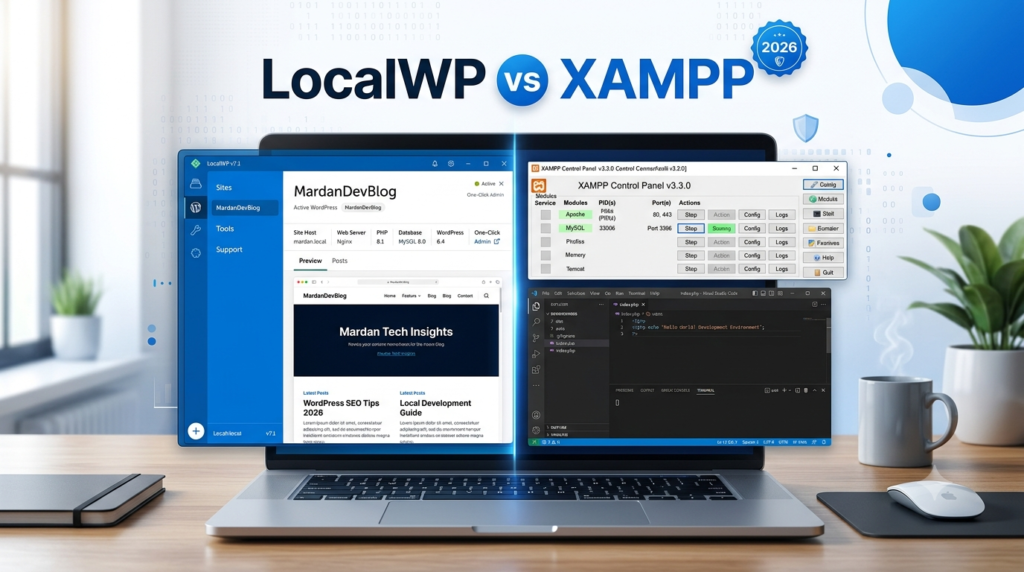
LocalWP is designed specifically for WordPress users. It automates most technical tasks, allowing beginners to create a WordPress website with just a few clicks.
XAMPP, on the other hand, is a complete local web server package. It supports WordPress, but it can also run Laravel, CodeIgniter, Joomla, Drupal, custom PHP applications, MySQL databases, and many other web projects.
That flexibility makes XAMPP a favorite among web developers, while LocalWP is often preferred by bloggers, freelancers, agencies, and WordPress beginners.
Who Should Read This Guide?
This comparison is written for anyone who wants to build WordPress websites locally, including:
- Complete beginners
- Bloggers
- Affiliate marketers
- WooCommerce store owners
- Freelance web designers
- WordPress developers
- PHP developers
- Students learning web development
- Digital marketing professionals
- Small business owners
Whether your goal is to launch a simple blog or manage multiple client websites, understanding the differences between these two tools will help you make a smarter decision.
LocalWP vs XAMPP at a Glance
| Feature | LocalWP | XAMPP |
|---|---|---|
| Beginner Friendly | ⭐⭐⭐⭐⭐ | ⭐⭐⭐ |
| WordPress Installation | One Click | Manual |
| Learning Curve | Very Easy | Moderate |
| Multiple WordPress Sites | Excellent | Excellent |
| Supports Other PHP Projects | No | Yes |
| Database Management | Built-in | phpMyAdmin |
| Apache Control | Limited | Full Control |
| PHP Version Switching | Easy | Manual |
| SSL Certificates | Automatic | Manual |
| Email Testing | Supported | Manual Setup |
| Performance | Excellent | Excellent |
| Cost | Free | Free |
| Best For | WordPress Users | Developers |
At first glance, both tools appear similar because they let you install WordPress on your computer. However, their design philosophy is very different.
If your only goal is to build and test WordPress websites, LocalWP offers a smoother and more beginner-friendly experience.
If you also plan to work with PHP frameworks, custom applications, or need complete control over your local server environment, XAMPP gives you far more flexibility.
What You’ll Learn in This Guide
Instead of simply declaring one tool as the winner, this guide compares them across the factors that matter most:
- Installation process
- Ease of use
- Performance
- Resource consumption
- WordPress setup
- Plugin compatibility
- Theme development
- WooCommerce testing
- PHP version management
- Database handling
- Security
- Backup options
- Developer features
- Collaboration tools
- Overall value
We’ll also share practical recommendations for different types of users so you can confidently choose the option that best fits your workflow.
By the end of this article, you’ll know whether LocalWP or XAMPP is the better choice for your WordPress projects in 2026—and why.
What Is LocalWP?
If you’ve ever wished WordPress could be installed with just a few clicks—without worrying about Apache, MySQL, PHP versions, or complicated server settings—then LocalWP is exactly what you need.
LocalWP (formerly known as Local by Flywheel) is a free desktop application built specifically for WordPress development. Unlike traditional local server software, it focuses only on WordPress, making it one of the easiest ways to create and manage local WordPress websites.
Think of it as having a personal WordPress hosting environment right on your computer. Instead of configuring server software manually, LocalWP handles almost everything behind the scenes.
Within a few minutes, you can create a brand-new WordPress website, log in to the dashboard, and start building your project—all without purchasing a hosting plan or registering a domain.
For beginners, this feels almost magical.
A Simple Story: Why Beginners Love LocalWP
Imagine Sarah, a small business owner who wants to create her first website.
She searches online for tutorials and quickly becomes overwhelmed by terms like Apache, PHP, MySQL, virtual hosts, and database configuration.
Then she discovers LocalWP.
After downloading the software, she clicks “Create a New Site,” enters her website name, waits a minute, and WordPress is ready.
No command line.
No database creation.
No editing configuration files.
No technical headaches.
Instead of spending hours configuring a server, Sarah spends her time designing her website—the part she actually enjoys.
That’s the biggest advantage of LocalWP: it lets you focus on WordPress rather than server management.
How Does LocalWP Work?
Behind the scenes, LocalWP automatically creates everything WordPress needs to run.
This includes:
- A local web server
- PHP
- MySQL (or MariaDB, depending on configuration)
- SSL support
- Local domain mapping
- WordPress installation
- Development tools
You don’t have to install these components individually. LocalWP bundles and manages them for you, saving both time and effort.
As a result, you can launch a new WordPress website in just a few clicks.
Key Features of LocalWP
One reason LocalWP has become so popular is its impressive list of features designed specifically for WordPress users.
1. One-Click WordPress Installation
Perhaps the biggest selling point is how easy it is to install WordPress.
Instead of manually downloading WordPress, creating a database, editing the wp-config.php file, and running the installer, LocalWP automates the entire process.
Simply:
- Open LocalWP.
- Click Create a New Site.
- Enter your site name.
- Choose your preferred PHP version.
- Create your WordPress username and password.
Within moments, your local website is ready to use.
2. Beginner-Friendly Dashboard
LocalWP’s interface is clean, modern, and easy to understand.
Everything is organized logically, including:
- Site management
- PHP version
- SSL status
- Database access
- Site URL
- Server status
Even someone using WordPress for the first time can quickly find their way around.
3. Automatic SSL Certificates
In today’s web environment, HTTPS is essential.
Fortunately, LocalWP automatically generates trusted SSL certificates for your local websites.
This means you can safely test:
- Secure forms
- Payment gateways
- WooCommerce stores
- Membership plugins
- Login pages
- API integrations
without dealing with browser security warnings.
4. Easy PHP Version Switching
Different WordPress themes and plugins often require different PHP versions.
Instead of reinstalling PHP manually, LocalWP lets you switch between supported PHP versions with just a few clicks.
This feature is especially useful when testing plugin compatibility or troubleshooting issues.
5. Live Links for Sharing
One unique feature is Live Links.
Suppose you’re designing a website for a client who lives in another city.
Instead of uploading your unfinished project to a web host, LocalWP can temporarily generate a secure public link, allowing your client to preview the website directly from your computer.
This makes collecting feedback much easier during development.
6. Built-In Mail Testing
Many WordPress plugins send emails, including:
- Contact forms
- WooCommerce order notifications
- Password reset emails
- Membership registrations
LocalWP includes tools that let you test these emails without sending them to real users, making it easier to verify that everything works correctly.
7. WP-CLI and SSH Support
Although LocalWP is beginner-friendly, it also offers advanced tools for developers.
These include:
- WP-CLI
- SSH access
- Log viewing
- Site cloning
- Database access
As your skills grow, LocalWP grows with you.
Advantages of LocalWP
Here are some of the biggest reasons people choose LocalWP in 2026.
Extremely Easy to Learn
Even if you’ve never installed WordPress before, LocalWP makes the process simple.
The software guides you through each step, reducing the chances of making mistakes.
Fast Website Creation
Creating a fresh WordPress installation usually takes less than two minutes.
This is ideal for:
- Testing plugins
- Trying new themes
- Building demo websites
- Learning WordPress
- Practicing website design
Designed Specifically for WordPress
Unlike general-purpose server software, LocalWP focuses entirely on WordPress.
Every feature is built with WordPress users in mind, making the overall experience smoother and more efficient.
Great for Freelancers and Agencies
If you build websites for clients, LocalWP can save hours every week.
You can:
- Duplicate websites
- Clone projects
- Export sites
- Import backups
- Test updates safely
- Share previews with clients
This improves productivity and simplifies client collaboration.
Excellent for WooCommerce Testing
Running an online store requires extensive testing.
LocalWP lets you experiment with:
- Shopping carts
- Checkout pages
- Payment gateways
- Shipping plugins
- Discount coupons
- Inventory management
without affecting a live store.
Disadvantages of LocalWP
No software is perfect, and LocalWP has a few limitations.
Focused Mainly on WordPress
If you want to build:
- Laravel applications
- Custom PHP websites
- CodeIgniter projects
- Joomla
- Drupal
LocalWP isn’t the best choice.
It’s designed specifically for WordPress.
Less Server-Level Control
Developers who enjoy customizing Apache configurations or creating advanced server environments may find LocalWP somewhat restrictive compared to XAMPP.
Some Advanced Features Have a Learning Curve
While beginners can ignore them, advanced tools like SSH, WP-CLI, and custom environments still require technical knowledge.
Who Should Use LocalWP?
LocalWP is an excellent choice if you are:
- A complete beginner
- A blogger
- An affiliate marketer
- A WooCommerce store owner
- A freelance WordPress designer
- A digital agency
- A content creator
- Learning WordPress for the first time
If your daily work revolves around WordPress, LocalWP is one of the easiest and most efficient tools available in 2026.
What Is XAMPP?
While LocalWP is designed specifically for WordPress, XAMPP is a full-featured local server environment capable of running almost any PHP-based application.
The name XAMPP stands for:
- X – Cross-platform
- A – Apache
- M – MariaDB (previously MySQL)
- P – PHP
- P – Perl
Instead of focusing only on WordPress, XAMPP provides the core technologies needed to host websites locally on your computer.
This makes it a favorite among web developers, students, and anyone who wants complete control over their development environment.
A Real-World Example
Imagine Ahmed is learning web development.
One week, he’s practicing HTML and CSS.
The next week, he’s building PHP projects.
Later, he experiments with Laravel, then installs WordPress, and eventually creates a custom content management system.
Rather than installing different software for each project, Ahmed installs XAMPP once.
Now, he can develop all of these applications from the same local server environment.
That’s the flexibility XAMPP offers.
How Does XAMPP Work?
Unlike LocalWP, XAMPP doesn’t automatically install WordPress.
Instead, it provides the server environment that WordPress requires.
After installing XAMPP, you typically:
- Start Apache and MariaDB.
- Download WordPress.
- Copy the files into the
htdocsfolder. - Create a database using phpMyAdmin.
- Run the WordPress installation wizard.
Although this involves a few extra steps, it also helps beginners understand how WordPress actually works behind the scenes.
Key Features of XAMPP
1. Complete Local Web Server
XAMPP includes everything needed to run PHP applications locally:
- Apache
- MariaDB
- PHP
- Perl
- phpMyAdmin
This makes it suitable for a wide variety of web development projects.
2. Supports Multiple PHP Applications
Unlike LocalWP, XAMPP isn’t limited to WordPress.
You can build and test:
- WordPress
- Laravel
- Symfony
- Joomla
- Drupal
- Magento
- CodeIgniter
- Custom PHP applications
This versatility is one of XAMPP’s biggest strengths.
3. Full Server Control
XAMPP gives developers direct access to server configurations.
You can customize:
- Apache settings
- PHP configuration
- Database settings
- Virtual hosts
- Extensions
- Error logging
This level of control is invaluable for advanced users and developers who need to mirror production environments.
4. phpMyAdmin Integration
Managing databases is straightforward with phpMyAdmin.
You can:
- Create databases
- Import SQL files
- Export backups
- Edit tables
- Run SQL queries
- Optimize databases
This makes XAMPP a powerful tool for database management and testing.
Why Developers Still Choose XAMPP in 2026
Even with newer tools available, XAMPP remains popular because it provides:
- Greater flexibility
- Broad compatibility
- Complete server control
- Support for many PHP frameworks
- An excellent learning environment for understanding web servers
For users who want more than just WordPress, XAMPP continues to be one of the most reliable local development solutions available.
LocalWP vs XAMPP: Feature-by-Feature Comparison
Now that you understand what LocalWP and XAMPP are, it’s time to compare them side by side.
Both tools help you build and test WordPress websites locally, but they take very different approaches. One focuses on simplicity, while the other prioritizes flexibility and control.
Let’s compare the features that matter most in 2026.
1. Installation Process
The installation experience is often the first thing beginners notice.
Installing LocalWP
LocalWP is designed to make setup as simple as possible.
After downloading the installer, you simply:
- Install LocalWP.
- Launch the application.
- Click Create a New Site.
- Choose your site name.
- Enter your WordPress username and password.
- Wait for LocalWP to configure everything automatically.
Within a couple of minutes, your WordPress website is ready.
There is no need to manually create databases or copy WordPress files.
Installing XAMPP
XAMPP requires a few additional steps.
Typically, you’ll:
- Install XAMPP.
- Start Apache and MariaDB from the XAMPP Control Panel.
- Download the latest version of WordPress.
- Copy WordPress into the htdocs folder.
- Create a database using phpMyAdmin.
- Run the WordPress installation wizard.
While this process is not difficult, it does require more attention to detail.
Winner: LocalWP
For beginners, LocalWP clearly wins because it automates nearly every step.
2. Ease of Use
A clean interface can make learning WordPress much more enjoyable.
LocalWP
LocalWP offers a modern dashboard where everything is organized visually.
You can easily:
- Start or stop websites
- Change PHP versions
- Access the database
- Open WordPress Admin
- View site folders
- Enable SSL
Most actions require only one click.
XAMPP
XAMPP uses a traditional control panel.
While it’s simple enough, beginners may not immediately understand terms like:
- Apache
- MariaDB
- PHP
- Tomcat
- FileZilla
Learning what each service does takes a little time.
Winner: LocalWP
For user experience, LocalWP is the easier option.
3. WordPress Installation
This is where the biggest difference becomes obvious.
LocalWP
Creating a WordPress site takes only a minute or two.
Everything is automated, including:
- Database creation
- WordPress download
- Configuration
- Login credentials
XAMPP
With XAMPP, you’ll manually:
- Download WordPress
- Create databases
- Configure files
- Complete the installation wizard
While these steps teach valuable skills, they also take more time.
Winner: LocalWP
4. Performance
Many people assume LocalWP is slower because it includes additional features.
In reality, both applications perform very well on modern computers.
LocalWP
Performance depends mainly on:
- RAM
- Processor
- Storage (SSD vs HDD)
- Number of running sites
For most users, websites load quickly.
XAMPP
Since XAMPP is lightweight and gives direct control over server settings, it can be extremely fast.
Developers can also optimize Apache and PHP settings for specific projects.
Winner: Tie
Both provide excellent performance when installed on a capable computer.
5. Resource Usage
Resource consumption becomes important if you’re running several local websites.
LocalWP
Because LocalWP includes additional management tools and a graphical interface, it generally uses more system resources.
However, on computers with at least 8 GB of RAM, this usually isn’t noticeable.
XAMPP
XAMPP is relatively lightweight.
You only start the services you actually need.
This makes it suitable for older computers with limited hardware.
Winner: XAMPP
6. Learning Curve
This factor matters especially for beginners.
LocalWP
Most users can begin building websites within minutes.
The software hides technical complexity so you can focus on WordPress.
XAMPP
XAMPP introduces you to how web servers actually work.
You’ll become familiar with:
- Apache
- PHP
- MariaDB
- phpMyAdmin
- File structures
Although this requires more effort, it’s valuable knowledge if you plan to become a web developer.
Winner
- Beginners → LocalWP
- Future developers → XAMPP
7. Flexibility
This category strongly favors XAMPP.
LocalWP
LocalWP is optimized for WordPress.
That’s fantastic if WordPress is your only focus.
However, it isn’t intended for every type of PHP application.
XAMPP
With XAMPP, you can run:
- WordPress
- Laravel
- Symfony
- Joomla
- Drupal
- Magento
- Moodle
- CodeIgniter
- Custom PHP projects
If your career involves web development beyond WordPress, XAMPP provides much greater flexibility.
Winner: XAMPP
8. PHP Version Management
Modern websites often require testing on different PHP versions.
LocalWP
Changing PHP versions is quick and beginner-friendly.
Simply choose a different version from the site settings.
XAMPP
Switching PHP versions is possible but usually requires downloading another XAMPP package or manually configuring PHP.
Winner: LocalWP
9. Database Management
Every WordPress website relies on a database.
LocalWP
LocalWP includes built-in tools that simplify database access.
Most users won’t need to configure anything.
XAMPP
XAMPP uses phpMyAdmin, one of the most popular database management tools.
It offers advanced capabilities like:
- SQL queries
- Table optimization
- Imports
- Exports
- Database repair
Winner
- Simplicity → LocalWP
- Advanced database work → XAMPP
10. SSL Support
Testing secure websites is increasingly important.
LocalWP
SSL certificates are generated automatically.
You can test HTTPS-enabled websites immediately.
XAMPP
SSL can be configured, but it requires manual setup.
Beginners often skip this step because it involves editing configuration files.
Winner: LocalWP
11. WooCommerce Compatibility
If you plan to build an online store, compatibility matters.
Both LocalWP and XAMPP support:
- WooCommerce
- Payment gateway testing
- Shipping plugins
- Product management
- Coupons
- Inventory testing
The difference lies in convenience.
LocalWP lets you get started faster, while XAMPP requires more setup before you can begin testing.
Winner: LocalWP
12. Plugin and Theme Development
Developers frequently create custom themes and plugins.
LocalWP
Provides:
- WP-CLI
- Easy debugging
- Log files
- Quick site cloning
- Fast testing
XAMPP
Provides complete server access, making it ideal for advanced development and debugging.
Winner: Tie
Each excels in different ways.
13. Security
Although local websites aren’t exposed to the public internet by default, security still matters.
LocalWP
Includes secure defaults, automatic SSL, and isolated local environments that reduce the chances of configuration mistakes.
XAMPP
Offers robust security when configured correctly, but because it exposes more server settings, beginners may accidentally leave unnecessary services running or misconfigure permissions.
Winner: LocalWP for beginners, XAMPP for experienced developers who know how to secure their environment.
14. Backup and Migration
Moving a local site to live hosting is an important step.
LocalWP
Makes exporting and importing WordPress sites straightforward, which is especially helpful for freelancers working with clients.
XAMPP
Migration usually involves manually exporting the database, copying files, and updating configuration settings.
While not difficult, it takes more time.
Winner: LocalWP
Comparison Table
| Feature | LocalWP | XAMPP | Winner |
|---|---|---|---|
| Installation | Automatic | Manual | LocalWP |
| Ease of Use | Excellent | Good | LocalWP |
| WordPress Setup | One Click | Manual | LocalWP |
| Performance | Excellent | Excellent | Tie |
| Resource Usage | Moderate | Low | XAMPP |
| Flexibility | WordPress Only | Multiple PHP Apps | XAMPP |
| PHP Switching | Easy | Manual | LocalWP |
| Database Tools | Beginner Friendly | Advanced | Tie |
| SSL | Automatic | Manual | LocalWP |
| WooCommerce Testing | Excellent | Excellent | LocalWP |
| Developer Control | Good | Excellent | XAMPP |
| Backup & Migration | Easy | Manual | LocalWP |
Which One Should You Choose?
The right choice depends on your goals rather than which tool has more features.
Choose LocalWP if you:
- Are completely new to WordPress.
- Want the fastest setup.
- Build blogs, business websites, or WooCommerce stores.
- Work as a freelancer or agency creating WordPress sites.
- Prefer a modern interface with minimal technical setup.
Choose XAMPP if you:
- Want to learn how web servers work.
- Build more than just WordPress websites.
- Develop PHP applications or frameworks like Laravel.
- Need complete control over Apache, PHP, and MariaDB.
- Enjoy customizing your development environment.
Our Recommendation for 2026
For most WordPress users, LocalWP is the better choice in 2026 because it removes technical barriers and lets you focus on building great websites.
However, XAMPP remains an outstanding option for developers, students, and anyone who wants a deeper understanding of web development.
In fact, many professionals install both tools. They use LocalWP for rapid WordPress development and XAMPP for custom PHP projects and advanced server testing.
By matching the tool to your workflow, you’ll save time, improve productivity, and build better websites with confidence.
Pros and Cons of LocalWP
Every tool has strengths and weaknesses. Understanding both sides will help you choose the right solution for your workflow.
Pros of LocalWP
✅ Extremely beginner-friendly interface
✅ One-click WordPress installation
✅ Automatic SSL certificates
✅ Easy PHP version switching
✅ Built-in WordPress management
✅ Fast website creation
✅ Great for WooCommerce testing
✅ Excellent for freelancers and agencies
✅ Easy site cloning and migration
✅ Free to use
Cons of LocalWP
❌ Primarily designed for WordPress only
❌ Uses slightly more system resources
❌ Less flexibility for custom server configurations
❌ Limited for developers building non-WordPress PHP applications
Pros and Cons of XAMPP
XAMPP has remained one of the most trusted local server solutions for years, and for good reason.
Pros of XAMPP
✅ Completely free and open source
✅ Supports WordPress and many PHP frameworks
✅ Full control over Apache, PHP, and MariaDB
✅ Lightweight and efficient
✅ Great learning tool for web development
✅ Powerful database management with phpMyAdmin
✅ Large community support
✅ Works on Windows, macOS, and Linux
Cons of XAMPP
❌ Manual WordPress installation
❌ Steeper learning curve
❌ SSL configuration requires extra work
❌ Beginners may find server settings confusing
❌ More opportunities for configuration mistakes
Who Should Choose LocalWP?
If any of the following describes you, LocalWP is probably the better choice.
- You’re building your first WordPress website.
- You’re a blogger or affiliate marketer.
- You want the fastest possible setup.
- You don’t want to learn server administration.
- You build WooCommerce stores.
- You create websites for clients.
- You want a clean and modern interface.
- You value convenience over server customization.
For most WordPress users, LocalWP offers everything needed without unnecessary complexity.
Who Should Choose XAMPP?
XAMPP is the better option if:
- You are learning PHP development.
- You want to understand how web servers work.
- You build Laravel, CodeIgniter, Symfony, or custom PHP applications.
- You need complete control over Apache and PHP settings.
- You frequently work with databases.
- You enjoy customizing your development environment.
Many professional developers continue to use XAMPP because of its flexibility.
Can You Install Both?
Absolutely!
In fact, many experienced developers install both applications on the same computer.
A common workflow looks like this:
- Use LocalWP for quick WordPress development.
- Use XAMPP for custom PHP projects.
- Test plugins and themes in LocalWP.
- Experiment with server configurations in XAMPP.
This approach gives you the best of both worlds.
Step-by-Step: How to Decide Between LocalWP and XAMPP
If you’re still unsure, answer these simple questions.
Choose LocalWP if:
✔ Your primary goal is building WordPress websites.
✔ You want to start within minutes.
✔ You’re a beginner.
✔ You don’t want to manage databases manually.
✔ You want automatic SSL and easy PHP switching.
Choose XAMPP if:
✔ You want to learn web development.
✔ You’ll work on multiple PHP projects.
✔ You need complete server control.
✔ You’re comfortable configuring Apache and MariaDB.
✔ You enjoy learning how websites work behind the scenes.
Want to Learn How to Build a WordPress Website Without Hosting?
If you’re still exploring local WordPress development, don’t miss our complete pillar guide on Build a WordPress Site Without Hosting. It explains how to create a fully functional WordPress website on your own computer using free local server software before purchasing hosting or a domain name. You’ll learn the benefits of offline development, the tools you’ll need, and the step-by-step process to build, test, and perfect your website before taking it live. If you’re new to WordPress, this guide is the ideal next read and pairs perfectly with this LocalWP vs XAMPP comparison.
👉 Read the complete guide here: https://samibizblog.com/build-a-wordpress-site-without-hosting/
Frequently Asked Questions (FAQs)
Is LocalWP better than XAMPP for beginners?
Yes. LocalWP is specifically designed for WordPress users and offers a much simpler setup process. Beginners can create a new WordPress website in just a few clicks without manually configuring a server.
Is XAMPP still worth using in 2026?
Absolutely. XAMPP remains one of the most reliable local server environments for PHP development and WordPress testing. It’s an excellent choice for developers who need flexibility and full server control.
Can I install WordPress without buying hosting?
Yes. Both LocalWP and XAMPP let you install and use WordPress on your own computer for free. You only need hosting and a domain name when you’re ready to publish your website online.
Which is faster: LocalWP or XAMPP?
In real-world use, both offer excellent performance. On modern computers with SSD storage and sufficient RAM, the speed difference is minimal. Your computer’s hardware has a much greater impact than the software itself.
Can I move my local WordPress website to live hosting later?
Yes. Websites created with either LocalWP or XAMPP can be migrated to a live hosting provider. Many migration plugins make this process quick and straightforward.
Which tool do professional developers use?
Many professionals use both.
- LocalWP for rapid WordPress development.
- XAMPP for advanced PHP development and server testing.
The choice depends on the type of project.
Final Verdict: LocalWP vs XAMPP
After comparing installation, ease of use, performance, flexibility, developer tools, security, and workflow, it’s clear that both tools excel in different situations.
If your focus is WordPress, LocalWP is the better overall choice in 2026. Its one-click setup, modern interface, automatic SSL, and WordPress-specific features help you spend less time configuring servers and more time creating great websites.
On the other hand, if you’re interested in web development beyond WordPress, XAMPP remains one of the most powerful and versatile local server environments available. It gives you complete control over your development stack and supports a wide range of PHP applications.
Instead of asking, “Which tool is better?” the smarter question is:
“Which tool is better for my goals?”
For bloggers, affiliate marketers, small business owners, and most WordPress users, LocalWP is the clear winner.
For developers, students, and anyone who wants full server customization, XAMPP continues to be an outstanding choice.
Whichever you choose, learning to build websites locally is one of the best investments you can make. It allows you to experiment freely, improve your skills, avoid costly mistakes, and launch polished WordPress websites with confidence.
Related Articles You May Like
To continue learning about local WordPress development, consider linking to these related guides on your website:
- Best Local Server Software for WordPress in 2026
- How to Create a Localhost WordPress Website
- How to Install WordPress on XAMPP (Step-by-Step Guide)
- Can You Build a WordPress Website Without Hosting?
- LocalWP vs WampServer: Complete Comparison
- LocalWP vs Laragon
- XAMPP vs MAMP
- How to Move a Local WordPress Website to Live Hosting
- Common LocalWP Errors and How to Fix Them
- Common XAMPP Errors and Their Solutions
These internal links strengthen your topical authority, improve user navigation, and support your WordPress local development content cluster.
Key Takeaways
- LocalWP is the easiest local WordPress development tool for beginners.
- XAMPP offers greater flexibility and server-level control.
- Both tools are free and reliable in 2026.
- Choose LocalWP for simplicity and WordPress-focused workflows.
- Choose XAMPP if you need a full-featured local PHP development environment.
- Learning either tool will help you build, test, and launch WordPress websites more efficiently.