If you’re planning to build a WordPress website in 2026, one of the smartest decisions you can make is to start with a local development environment before purchasing hosting.
Using the Best Local Server Software For WordPress for Beginner 2026 allows you to create, test, and improve your website directly on your computer. You can experiment with themes, plugins, layouts, and SEO settings without risking a live website.
Whether you’re a student, blogger, affiliate marketer, freelancer, or business owner, local server software provides a safe and cost-effective way to learn WordPress and develop professional websites.
What Is Local Server Software?
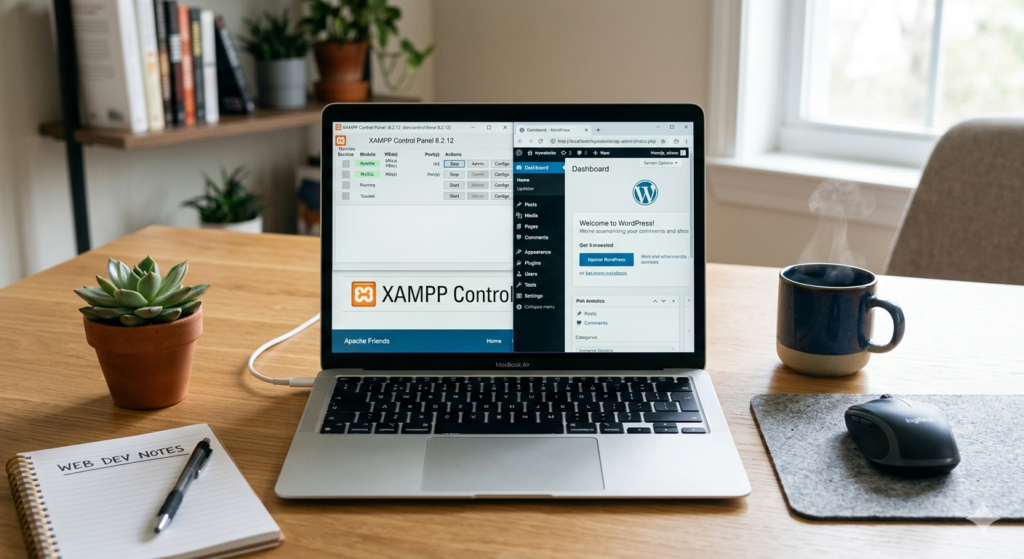
Local server software creates a web hosting environment directly on your computer. Instead of paying for hosting immediately, you can install software that includes technologies such as Apache, PHP, MySQL, and MariaDB.
This allows you to run WordPress locally, often referred to as localhost WordPress development.
Think of it as having a private testing ground where you can learn and build without worrying about breaking a live website.
A few years ago, a friend launched his first website directly on a hosting account. After installing several plugins and switching themes multiple times, his website stopped working properly. Had he used a local server first, he could have experimented safely and launched a polished website from day one.
That is exactly why professional developers rarely work directly on live websites.
Why Use a Local WordPress Development Environment?
There are many reasons why beginners should start locally.
Benefits of Local Development
- Free website development
- No hosting costs initially
- Faster website testing
- Safe plugin experimentation
- Easy theme customization
- Offline website development
- Better troubleshooting
- Faster learning curve
In addition, local environments allow you to build your website at your own pace before making it publicly available.
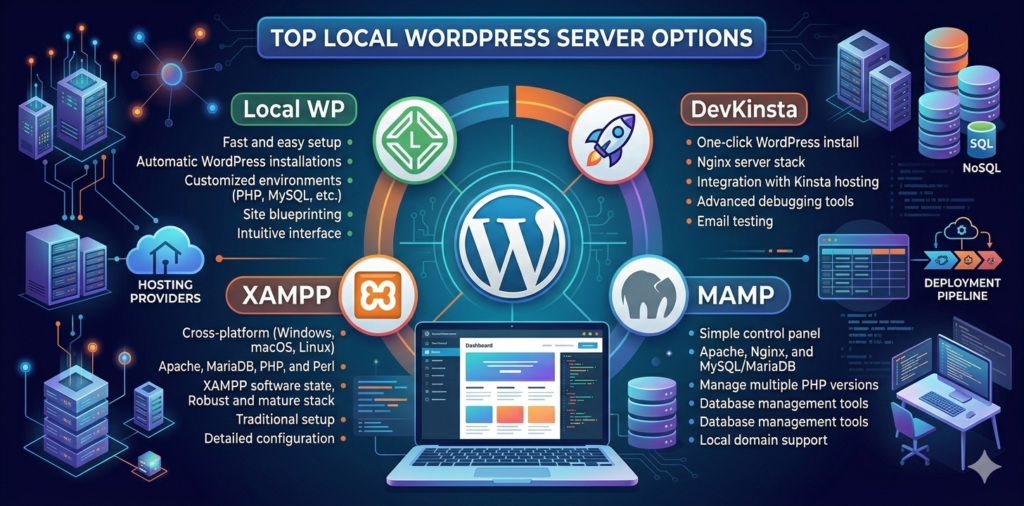
Best Local Server Software For WordPress in 2026
1. Local
For most beginners, Local is the best overall choice.
Features
- One-click WordPress installation
- Built-in SSL certificates
- Easy PHP switching
- Site cloning
- Automatic database setup
- Beginner-friendly interface
Pros
✅ Very easy to use
✅ Designed specifically for WordPress
✅ Free
✅ Excellent for beginners
Cons
❌ Uses more computer resources
Best For
- Bloggers
- Affiliate marketers
- Small business owners
- New WordPress users
2. XAMPP
XAMPP remains one of the most popular local development environments.
Features
- Apache
- MySQL
- PHP
- Perl
- Cross-platform support
Pros
✅ Free
✅ Flexible
✅ Large community
Cons
❌ More technical setup
Best For
- Students
- Developers
- Technical users
3. DevKinsta
DevKinsta offers a modern WordPress development workflow.
Pros
✅ Built-in email testing
✅ Database manager
✅ Easy deployment
Cons
❌ Requires Docker
Best For
- Freelancers
- Agencies
4. MAMP
A reliable solution for Mac users.
Pros
✅ Stable
✅ Easy setup
Cons
❌ Some premium features require payment
5. WampServer
A Windows-focused local development solution.
Pros
✅ Lightweight
✅ Free
Cons
❌ Windows only
Comparison Table
| Software | Beginner Friendly | Free | WordPress Focused |
|---|---|---|---|
| Local | ⭐⭐⭐⭐⭐ | Yes | Yes |
| XAMPP | ⭐⭐⭐ | Yes | No |
| DevKinsta | ⭐⭐⭐⭐ | Yes | Yes |
| MAMP | ⭐⭐⭐⭐ | Yes | Partial |
| WampServer | ⭐⭐⭐ | Yes | No |
How We Chose These Tools
We evaluated each platform based on:
- Ease of use
- WordPress compatibility
- Performance
- Community support
- Security
- Scalability
- Beginner friendliness
This ensures our recommendations align with the needs of new WordPress users.
Best Local Server Software For WordPress for Beginner 2026 Free Download
One major advantage of local development software is that most leading options are free.
You can download:
- Local
- XAMPP
- DevKinsta
- MAMP
- WampServer
directly from their official websites.
Always avoid downloading from unofficial sources.
Best Local Server Software For WordPress for Beginner 2026 Tutorial
A beginner-friendly tutorial should cover:
- Software installation
- Creating a local site
- Installing WordPress
- Setting up themes
- Installing plugins
- Testing functionality
- Website migration
Following a structured tutorial significantly reduces learning time.
Best Local Server Software For WordPress for Beginner 2026 Student Guide
Students benefit greatly from local servers because they can:
- Practice website design
- Learn PHP
- Understand databases
- Build portfolio projects
- Experiment without hosting costs
For students interested in web development careers, XAMPP is particularly valuable because it exposes them to real server technologies.
Best Local Server Software For WordPress for Beginner 2026 Project Development
Whether you’re building:
- An affiliate website
- A personal blog
- A portfolio
- A business website
- A client project
local development allows you to work safely before launching.
Best Local Server Software For WordPress for Beginner 2026 Step by Step Setup
Step 1: Download Local
Visit the official Local website.
Step 2: Install the Software
Complete the installation wizard.
Step 3: Create a Site
Click “Create New Site.”
Step 4: Configure WordPress
Enter your site details.
Step 5: Begin Development
Install themes and plugins.
Step 6: Test Everything
Verify speed, responsiveness, and functionality.
Best Local Server Software For WordPress for Beginner 2026 Year Trends
Key trends for 2026 include:
- Docker-based environments
- One-click deployments
- Faster website migration
- Improved staging workflows
- Better security automation
As a result, local development is becoming easier than ever.
Best Local Server Software For WordPress for Beginner 2026 Course Recommendations
Pair your local environment with courses covering:
- WordPress fundamentals
- SEO
- Website design
- Plugin development
- Theme customization
Learning and practicing simultaneously accelerates skill development.
Best Local Server Software For WordPress for Beginner 2026 Application Uses
Local servers are used for:
- WordPress development
- PHP testing
- Plugin creation
- Theme development
- Performance testing
- Website staging
Their versatility makes them valuable for beginners and professionals alike.
Best Local Server Software For WordPress for Beginner 2026 Book Resources
Helpful learning topics include:
- WordPress development
- PHP programming
- Database management
- Website security
- Hosting fundamentals
Books combined with hands-on practice create an effective learning path.
Best Local Server Software For WordPress for Beginner 2026 Resume Skills
Learning local development can strengthen your resume by demonstrating experience with:
- WordPress administration
- Website testing
- PHP
- MySQL
- Deployment workflows
- Local development environments
Best Local Server Software For WordPress for Beginner 2026 Printable Checklist
Website Launch Checklist
- WordPress installed
- Theme configured
- Essential plugins installed
- Mobile tested
- SEO settings configured
- Internal links added
- Backups created
- Security reviewed
- Performance optimized
- Migration completed
Frequently Asked Questions
Which local server software is easiest for beginners?
Local is generally considered the easiest option because of its one-click setup and WordPress-focused interface.
Is XAMPP still relevant in 2026?
Yes. XAMPP remains one of the most reliable and flexible development environments.
Can I move my local website to hosting later?
Absolutely. Most local server tools support website migration and deployment.
Final Verdict
After comparing the Best Local Server Software For WordPress for Beginner 2026, Local stands out as the best option for most beginners. Its ease of use, WordPress-specific features, and free pricing make it ideal for learning and website development.
However, if you want deeper technical knowledge, XAMPP remains an excellent alternative. Ultimately, the best choice depends on your goals, experience level, and preferred workflow.
Starting with a local server today can save money, reduce mistakes, and help you build a better WordPress website with confidence.