Have you ever posted a product or service on Facebook or Instagram and felt like nobody was seeing it?
Most new business owners publish content regularly but receive only a few likes from friends and family. Meanwhile, successful businesses are reaching thousands of potential customers daily and generating consistent sales.
The difference is not luck. The difference is Facebook Ads, also known as Meta Ads.
If you want to grow your business online in 2026, this beginner-friendly guide will teach you how Facebook Ads work, how to create your first campaign, and how to avoid common mistakes that waste money.
- What Is Facebook Ads and Why Do Beginners Need It in 2026?
- How Does Facebook Ads Work?
- Requirements for Running Facebook Ads
- Why You Should Never Use the Boost Post Button
- Understanding the Meta Ads Campaign Structure
- How to Create Your First Facebook Ad in 2026
- Common Facebook Ads Mistakes Beginners Should Avoid
- Final Thoughts
- Frequently Asked Questions
What Is Facebook Ads and Why Do Beginners Need It in 2026?
Facebook Ads is Meta’s advertising platform that allows businesses to promote products and services across Facebook, Instagram, Messenger, and other Meta properties.
Unlike normal social media posts, Meta Ads help you reach people who are genuinely interested in your products or services.
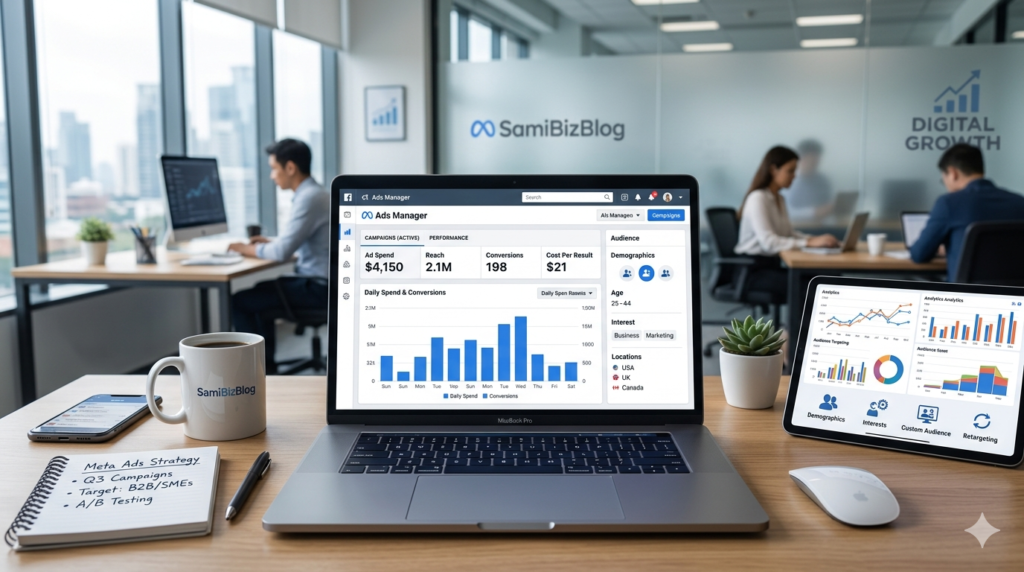
According to the official Meta advertising platform, businesses can target specific audiences and optimize campaigns based on their goals. You can learn more through the official Meta Ads Manager platform.
External Resource: https://adsmanager.facebook.com
In 2026, organic reach continues to decline, making paid advertising an essential part of digital marketing strategies.
Why Meta Ads Is So Powerful
Advanced Audience Targeting
Meta allows advertisers to target users based on:
- Age
- Gender
- Location
- Interests
- Behaviors
- Online activity
For example, a makeup artist can target people interested in beauty, skincare, and cosmetics instead of showing ads to everyone.
Budget-Friendly Advertising
One of the biggest advantages of Facebook Ads is affordability.
Small businesses, freelancers, affiliate marketers, and local service providers can start with a modest budget and scale gradually after seeing results.
Measurable Results
Meta provides detailed campaign reports that allow you to track:
- Reach
- Clicks
- Messages
- Leads
- Purchases
- Return on Investment (ROI)
This makes Facebook Ads far more measurable than traditional advertising methods.
How Does Facebook Ads Work?
Meta Ads uses artificial intelligence and machine learning to understand user behavior.
The system analyzes:
- Content engagement
- Video consumption
- Purchase behavior
- Website activity
- Form submissions
When you create a campaign, Meta asks you what result you want.
For example:
- Traffic → Website visitors
- Engagement → Likes, comments, and messages
- Leads → Contact information
- Sales → Purchases and conversions
Meta then finds people who are most likely to perform that action.
Important Example
If your goal is to generate sales but you choose Engagement as your objective, Meta will optimize for likes and comments rather than purchases.
Choosing the correct campaign objective is one of the most important factors in advertising success.
Requirements for Running Facebook Ads
Before launching your first campaign, make sure you have the following:
Facebook Personal Account
A personal Facebook account is required to access Meta’s advertising ecosystem.
Facebook Business Page
Professional advertising should always be conducted through a business page.
Instagram Account (Optional)
Connect Instagram if you want your ads to appear there as well.
Meta Business Manager
Meta Business Manager allows you to manage pages, ad accounts, pixels, and team members from a single dashboard.
External Resource: https://business.facebook.com
Ad Account
An Ad Account is required to create campaigns and process advertising payments.
Website or Landing Page
Although not mandatory, a website improves trust, conversion rates, and tracking capabilities.
Meta Pixel
If you have a website, installing Meta Pixel is highly recommended.
Meta Pixel tracks:
- Page views
- Add-to-cart actions
- Purchases
- Leads
Learn more from Meta’s official Pixel documentation.
External Resource: https://developers.facebook.com/docs/meta-pixel
Why You Should Never Use the Boost Post Button
Many beginners make the mistake of using Facebook’s Boost Post feature.
While it appears simple, professional advertisers rarely rely on it.
Disadvantages of Boost Post
Limited Targeting Options
Boost Post offers fewer audience controls compared to Ads Manager.
Weak Conversion Optimization
It primarily focuses on engagement rather than business outcomes such as leads and sales.
No Proper A/B Testing
You cannot effectively test:
- Different audiences
- Multiple creatives
- Various ad copies
Reduced Campaign Control
Ads Manager provides significantly more control over optimization and reporting.
Best Practice
Always create campaigns through Meta Ads Manager instead of boosting posts.
Understanding the Meta Ads Campaign Structure
Every Meta advertising campaign consists of three levels.
Campaign Level (Goal)
At this level, you select your objective.
Available objectives include:
- Awareness
- Traffic
- Engagement
- Leads
- Sales
Ad Set Level (Strategy)
This is where you define:
- Audience
- Budget
- Schedule
- Placements
Ad Level (Creative)
This is the actual advertisement users see.
You will configure:
- Images or videos
- Primary text
- Headlines
- Call-to-action buttons
How to Create Your First Facebook Ad in 2026
Step 1: Open Meta Ads Manager
Visit Ads Manager and click Create Campaign.
Step 2: Select Your Objective
Choose the objective that aligns with your business goal.
Step 3: Name Your Campaign
Use a clear naming convention.
Example:
Summer Sale 2026 – Sales Campaign
Step 4: Create Your Ad Set
Configure:
- Audience
- Budget
- Schedule
- Placements
Step 5: Define Your Audience
Select:
- Location
- Age
- Gender
- Interests
Step 6: Set Your Budget
Start with an affordable daily budget and increase spending after collecting data.
Step 7: Choose Placements
Most beginners should use Advantage+ Placements.
Step 8: Upload Your Creative
Add:
- Images
- Videos
- Carousel Ads
Step 9: Write Compelling Ad Copy
Focus on benefits rather than features.
Step 10: Publish Your Campaign
Review everything carefully before publishing.
Step 11: Monitor Performance
Track metrics such as:
- CTR
- CPC
- Leads
- Sales
- ROAS
Common Facebook Ads Mistakes Beginners Should Avoid
Choosing the Wrong Objective
Always align the objective with your desired outcome.
Targeting Too Broadly
Avoid showing ads to everyone.
Using Poor Creative Assets
High-quality visuals generally perform better.
Ignoring Campaign Analytics
Regular monitoring is essential for optimization.
Stopping Campaigns Too Early
Allow enough time for Meta’s algorithm to learn and optimize.
Final Thoughts
Facebook Ads remains one of the most powerful digital marketing platforms in 2026.
By understanding campaign objectives, audience targeting, budget management, and creative optimization, beginners can generate meaningful business results even with a modest advertising budget.
The key is to start small, learn from data, and scale what works.
Frequently Asked Questions
Can I run Facebook Ads without a website?
Yes. You can run campaigns that direct users to WhatsApp, Messenger, or Instagram Direct Messages.
What is the minimum budget required for Facebook Ads?
There is no fixed minimum. Most beginners start with a small daily budget and scale after seeing positive results.
Can I run ads from my personal Facebook profile?
No. Professional advertising should be managed through a Facebook Business Page connected to an Ad Account.
Is Meta Pixel necessary?
If you have a website, Meta Pixel is strongly recommended because it improves tracking and conversion optimization.
Should I use Boost Post or Ads Manager?
Ads Manager is the preferred option because it offers advanced targeting, optimization, and reporting features.